
Dacar diagnostic (OBD2 ELM327)3.0.5 - Google Play
You'll be able to see results in few seconds.
Publisher Description
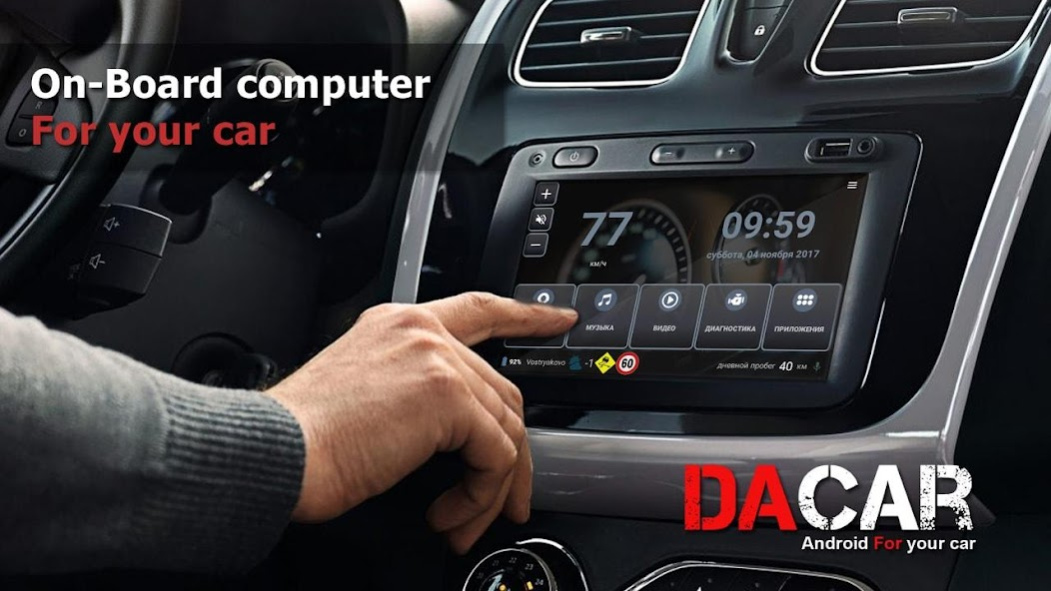


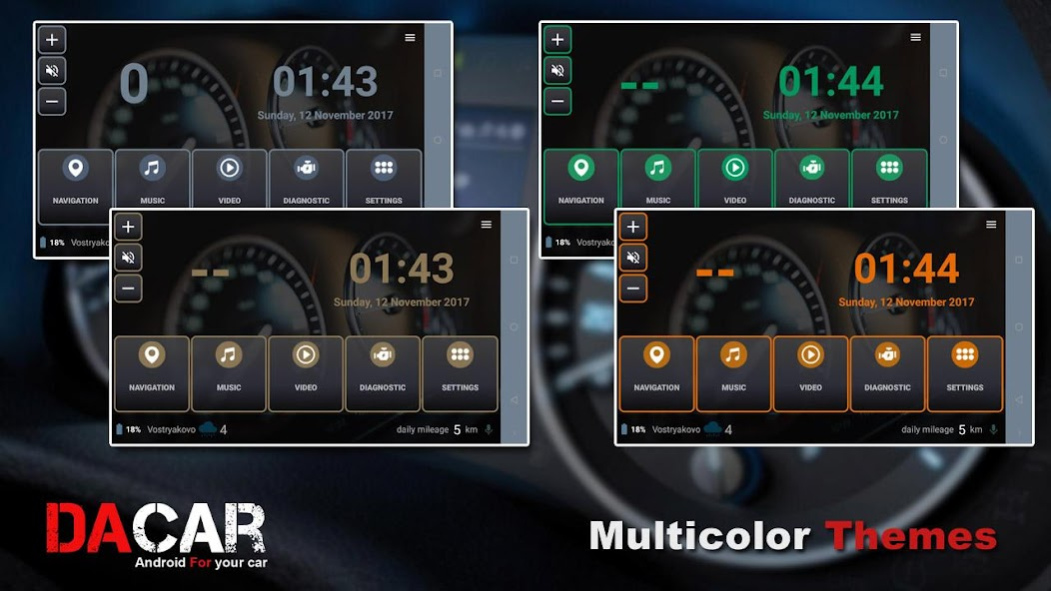
Dacar is an application for those who want to make from their smartphone or tablet an on-board computer for their car.
Attention! The program requires an ELM 327 adapter or a compatible Bluetooth OBD-II adapter. Without an adapter, you can use this application as a convenient Car launcher interface for use in a car.
Support for OBD2, displays the parameters of your car in real time using the adapter ELM327, which connects via bluetooth.
You can purchase proven elm327 adapters to work with this application from our partners https://goo.gl/VYyIYg
The main functions of the program (auto launcher):
-Ability to autorun the application after loading the device.
Also you can use as Car launcher for your car radio
- Running applications.
You can place shortcuts to your applications for quick launch.
-Navigation.
Select any navigation program installed on the device.
-Interface.
Select wallpaper for the background of the application, which is constantly updated. Or you can set your own wallpaper from your phone. (The recommended image size is 1920 × 1080 px)
Changes in brightness (day / night)
-Editing the selected application.
Long hold the icon to replace the application.
-Display of current speed and distance
The GPS speedometer shows the speed of the car on the main screen of the application.
-Display speed in the status bar
-List of all applications
Clicking on the "Applications" button will display a list of all applications installed on the device.
Application functions (auto diagnostics)
Displays engine and transmission malfunction codes and decrypts their values (more than 5000 values are available)
Deleting fault codes (paid function)
Display of OBD2 specific trouble codes for the following car brands: Renault, Peugeot, Citroen, Opel, BMW, Ford, Audi, Volkswagen, Skoda, Fiat, etc.
Real-time display of car sensors. Depending on the number of sensors of your car, you can get information about: car speed, engine speed, engine temperature, ignition advance, torque Torque, the amount of intake air.
Power metering (available when ELM327 is connected)
- Acceleration time to 100 km / h and from 80 to 120 km / h
Full list of sensors:
Intake air temperature
Ambient temperature
Coolant temperature
Atmosphere pressure
Fuel pressure
Pressure in the intake manifold
Load on the motor
Engine speed rpm
Vehicle Speed
Mass air flow
Throttle Position
Fault codes
Fuel level in percent
Type of fuel
Fuel consumption per hour
Ignition advance
Diagnostic Codes
Distance from clearing codes
Power Monitoring Module
Pressure in the fuel rail
Vehicle identification number (vin)
Distance traveled from MIL
Operating time with MIL
Time after cleaning codes
Relative gas position
Available PIDs 01-20
Available PIDs 21-40
Available PIDs 41-60
Absolute load
Engine oil temperature
Air to fuel ratio
Protocol Descriptions
Describe the protocol numbers
Ignition Monitor
If you bought the auto diagnostic function and for some reason you do not have the application working correctly, please write to the mail with the name of the adapter with the firmware version and the model of the android device.
Updates are expected to: Support topics. Weather
About Dacar diagnostic (OBD2 ELM327)
The company that develops Dacar diagnostic (OBD2 ELM327) is AFC Group. The latest version released by its developer is 3.0.5.
To install Dacar diagnostic (OBD2 ELM327) on your Android device, just click the green Continue To App button above to start the installation process. The app is listed on our website since 2017-11-30 and was downloaded 0 times. We have already checked if the download link is safe, however for your own protection we recommend that you scan the downloaded app with your antivirus. Your antivirus may detect the Dacar diagnostic (OBD2 ELM327) as malware as malware if the download link to ru.car2.cardashboard is broken.
How to install Dacar diagnostic (OBD2 ELM327) on your Android device:
- Click on the Continue To App button on our website. This will redirect you to Google Play.
- Once the Dacar diagnostic (OBD2 ELM327) is shown in the Google Play listing of your Android device, you can start its download and installation. Tap on the Install button located below the search bar and to the right of the app icon.
- A pop-up window with the permissions required by Dacar diagnostic (OBD2 ELM327) will be shown. Click on Accept to continue the process.
- Dacar diagnostic (OBD2 ELM327) will be downloaded onto your device, displaying a progress. Once the download completes, the installation will start and you'll get a notification after the installation is finished.
Program Details
System requirements
Download information
Pricing
Version History
version 3.0.5
posted on 2017-11-30
Disclaimer
Official Google Play Link
We do not host Dacar diagnostic (OBD2 ELM327) on our servers. We did not scan it for viruses, adware, spyware or other type of malware. This app is hosted by Google and passed their terms and conditions to be listed there. We recommend caution when installing it.
The Google Play link for Dacar diagnostic (OBD2 ELM327) is provided to you by apps112.com without any warranties, representations or guarantees of any kind, so access it at your own risk.
If you have questions regarding this particular app contact the publisher directly. For questions about the functionalities of apps112.com contact us.
